Not one voice, three: a customizable AI persona for Duolingo Max.
Overview
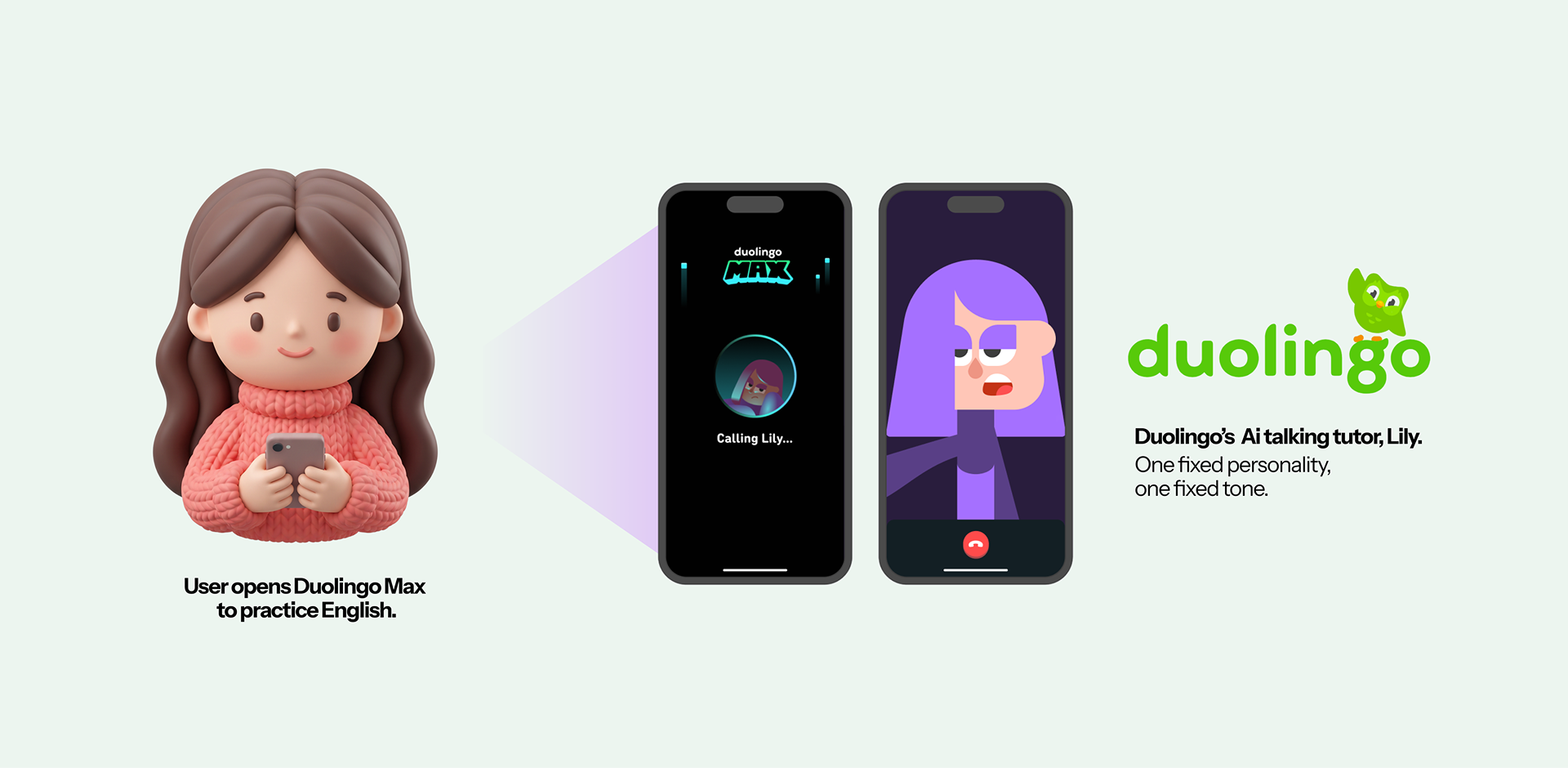
Duolingo already has an AI conversation feature called Lily. But there's only one Lily: one personality, one tone. I wanted to know: does the personality behind an AI conversation actually matter? Or is any voice fine, as long as it replies? That question is where I started.
What I built
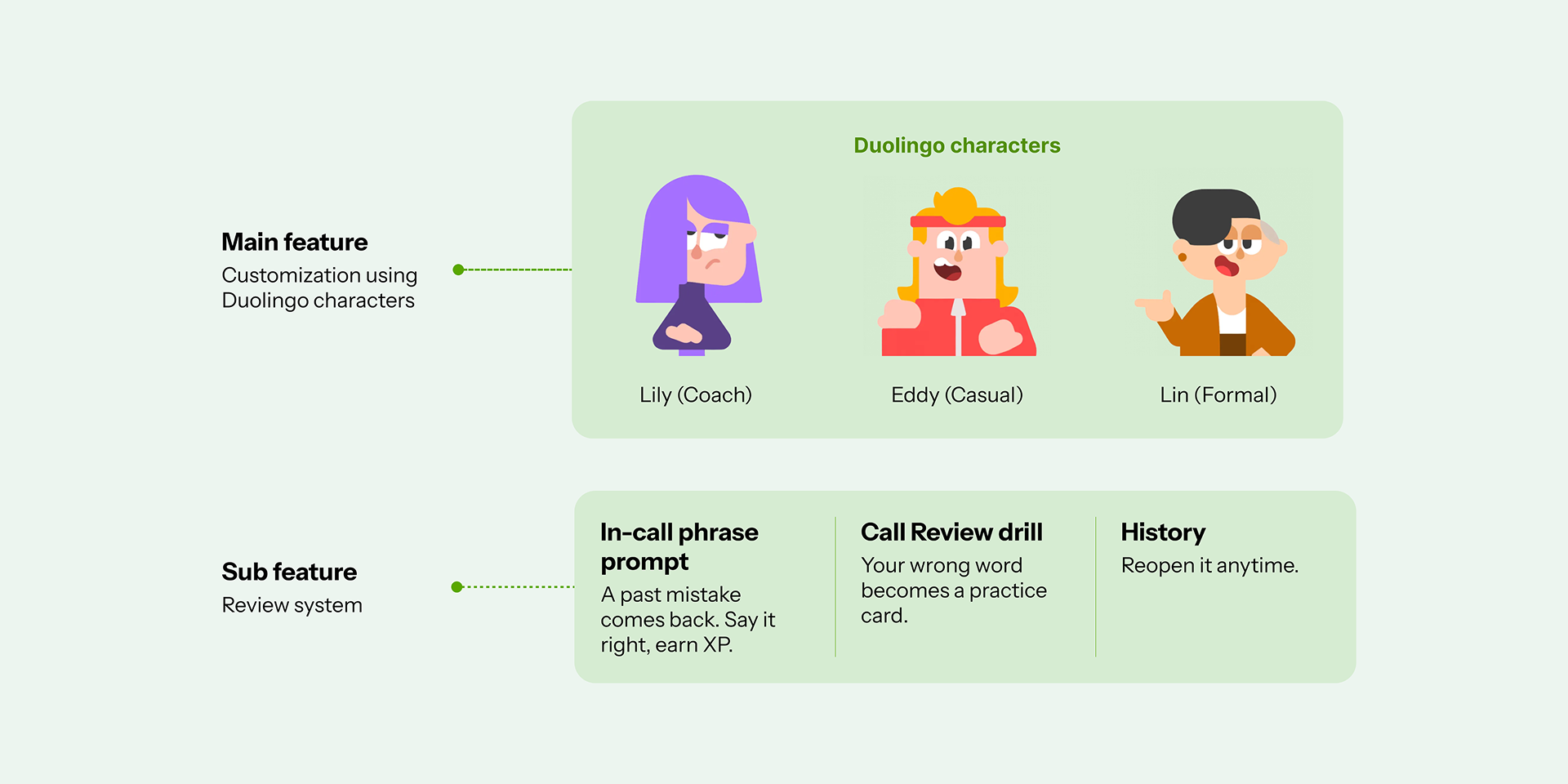
You can customize your own talking partner, and keep what you learn from talking to them.
Design process
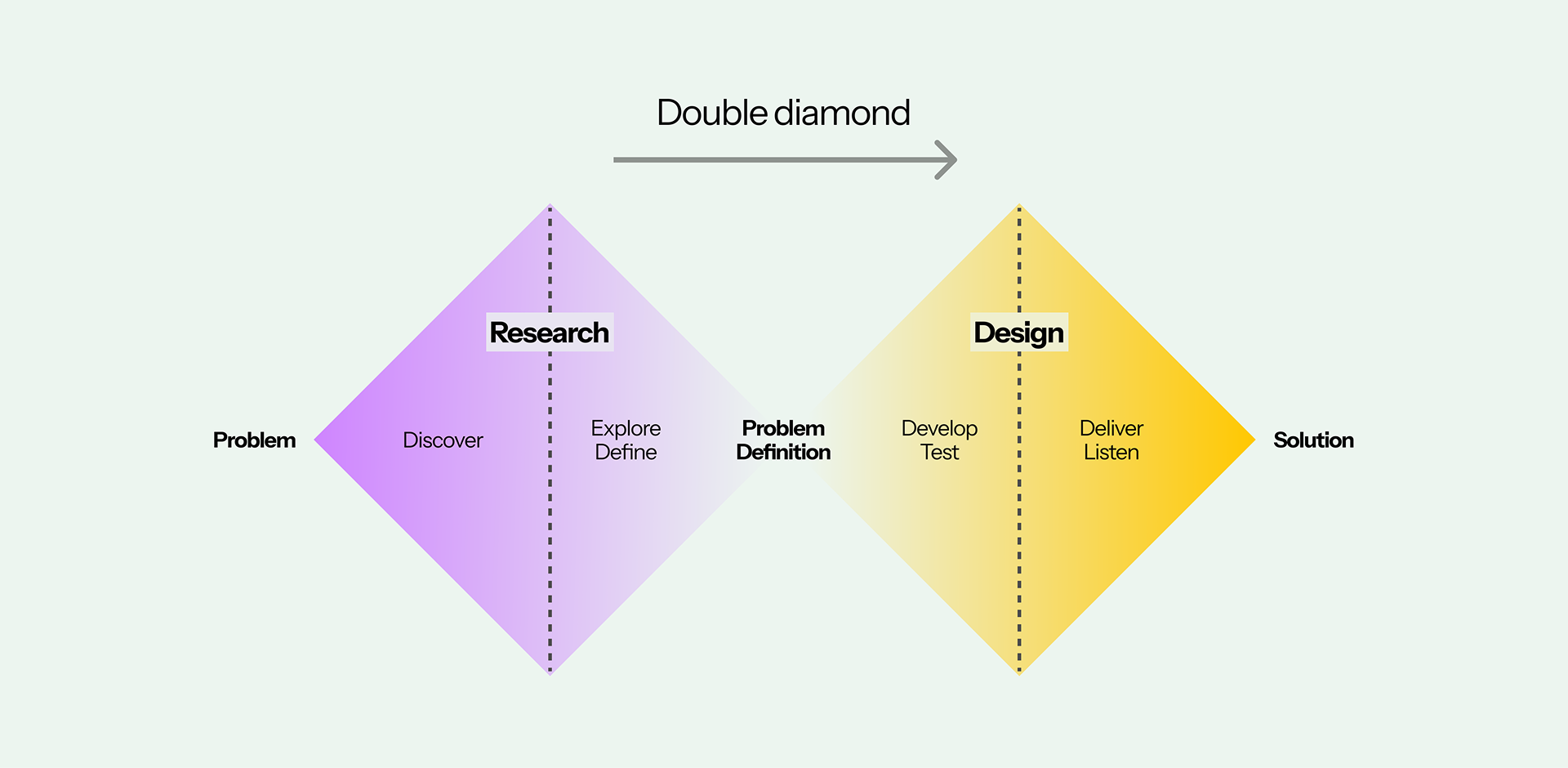
I organized this project into four stages. Discover and Define to find the real problem. Develop and Deliver to find the real solution.
Discover
I did this in two steps. First, secondary research, to find the pattern. Then primary research, to confirm it directly with real people.
I used AI to read through what people who already use Duolingo's AI conversation feature were saying, and to see what they talk about.
- First, I set keywords on my search: recent posts, within the last 3 months, matching words like "Lily," "video call," "AI conversation."
- Then I read these keyword postings top to bottom, comments included, and caught the reaction toward this AI feature.
- As a result, in this pass, I caught 8 postings and comments. 5 of them (63%) were talking about the same thing: wanting the AI to match their vocabulary or level, not a fixed script.
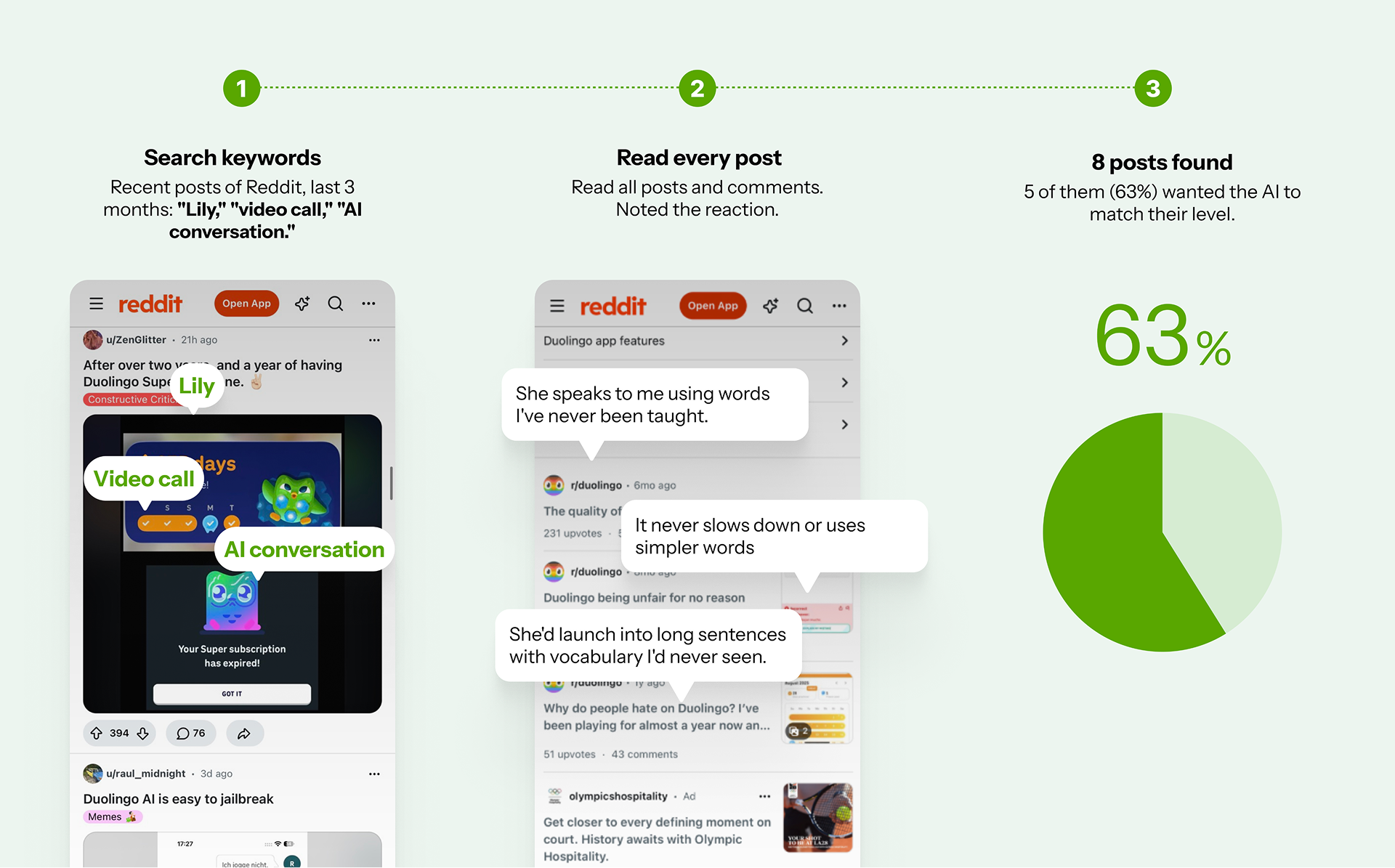
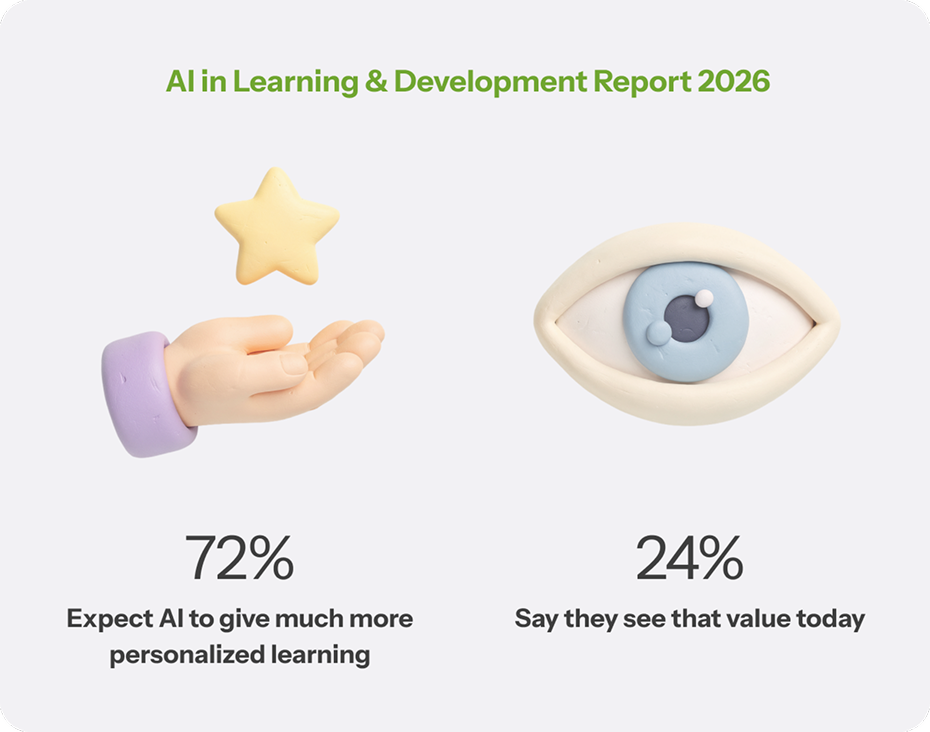
Then I checked for published research on this. Synthesia's AI in Learning & Development Report 2026 surveyed 421 L&D professionals worldwide, in October–November 2025. That's the broader pattern. The Reddit thread above shows what it looks like up close.
I interviewed three people directly about how they actually learn languages with AI.

Emre, 26
Turkish living in Seoul for 2 years. Software engineer.
Duolingo's Lily keeps using vocabulary he doesn't know. He wants to set the situation and the tone himself, casual words for hanging out with friends, technical words for his engineering job. Duolingo doesn't give him a way to choose either one.

James, 45
British living in Korea for 20 years. English teacher.
He recommends Duolingo to his students often. Their feedback: Lily has no review system. As a teacher, he knows how much review matters. Students forget what they learned in a conversation almost right away. They want an instant review system.

Jean, 24
Korean applying for a master's degree in the US.
She used ChatGPT to practice for her university interview. The problem: in long conversations, ChatGPT forgets what was said before. It's also too customizable. She has to write a long prompt every time just to set up the right situation. She wants something simple, set up once, built for language learners specifically.
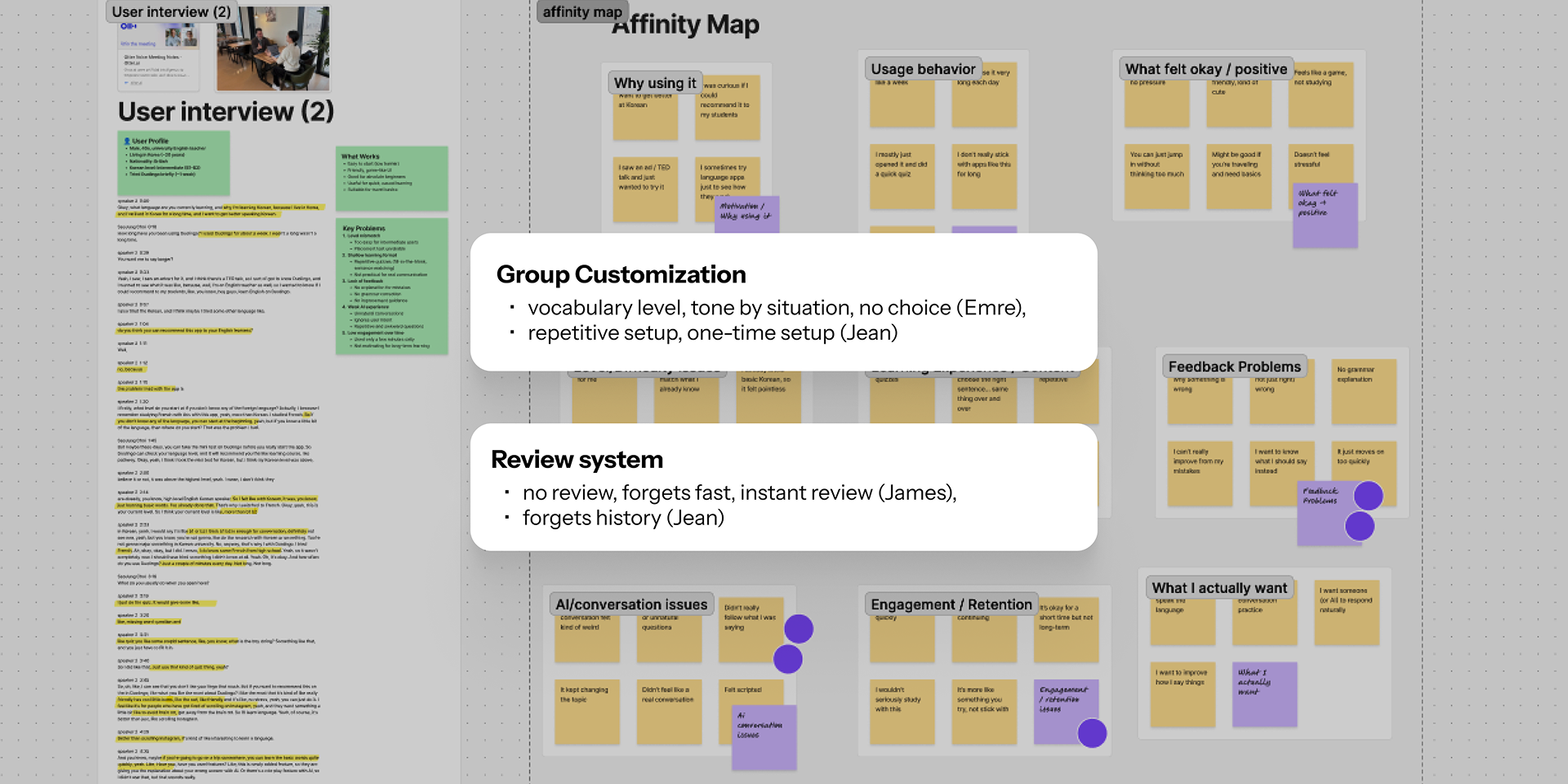
Insight: Two things came up across all three interviews. Customization, based on their own needs and their own history. And a review system, tied to their own conversations too. That split became the main feature and the sub-feature.
Lily only exists in Duolingo's paid tiers, Super and Max, not the free version. Super runs about $12.99/month, Max about $29.99/month.
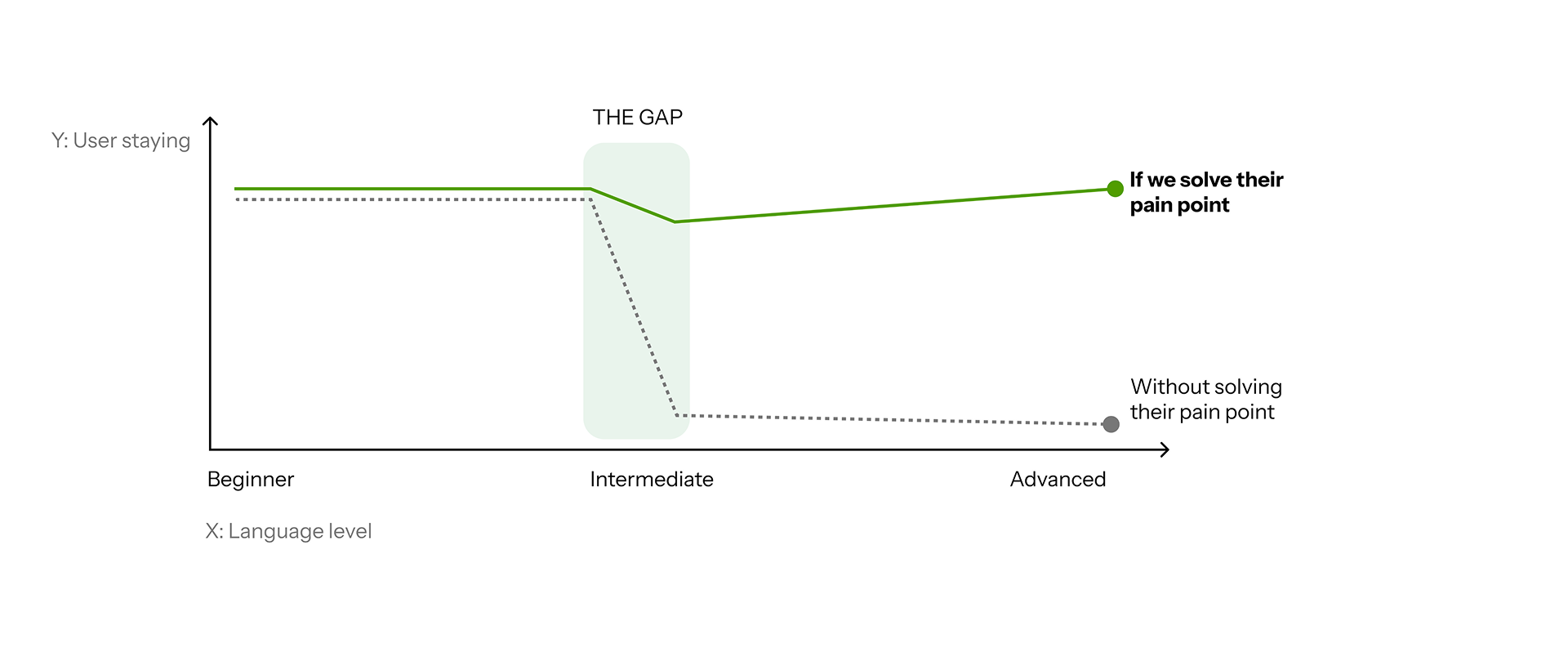
Duolingo's drop-out population is mostly intermediate learners (B1–B2). Duolingo's own blog calls this the "intermediate plateau." Intermediate is also when people first try speaking, and first consider paying for Lily's AI.
Solving that pain point is the key to stopping the drop-outs.
All three interviews point to the same B1–B2 pain point, Emre and Jean firsthand, James through his students. Duolingo's current AI is one generic voice, one topic. It doesn't fit their needs.
Customization fixes this stage. It helps keep users, and it helps grow subscriptions.
Define
Emma, an intermediate learner talking to Duolingo's characters daily, shows both sides of the problem.

Emma, intermediate learner
"Talking with AI is helpful, but I don't feel like I'm actually improving."
Wants
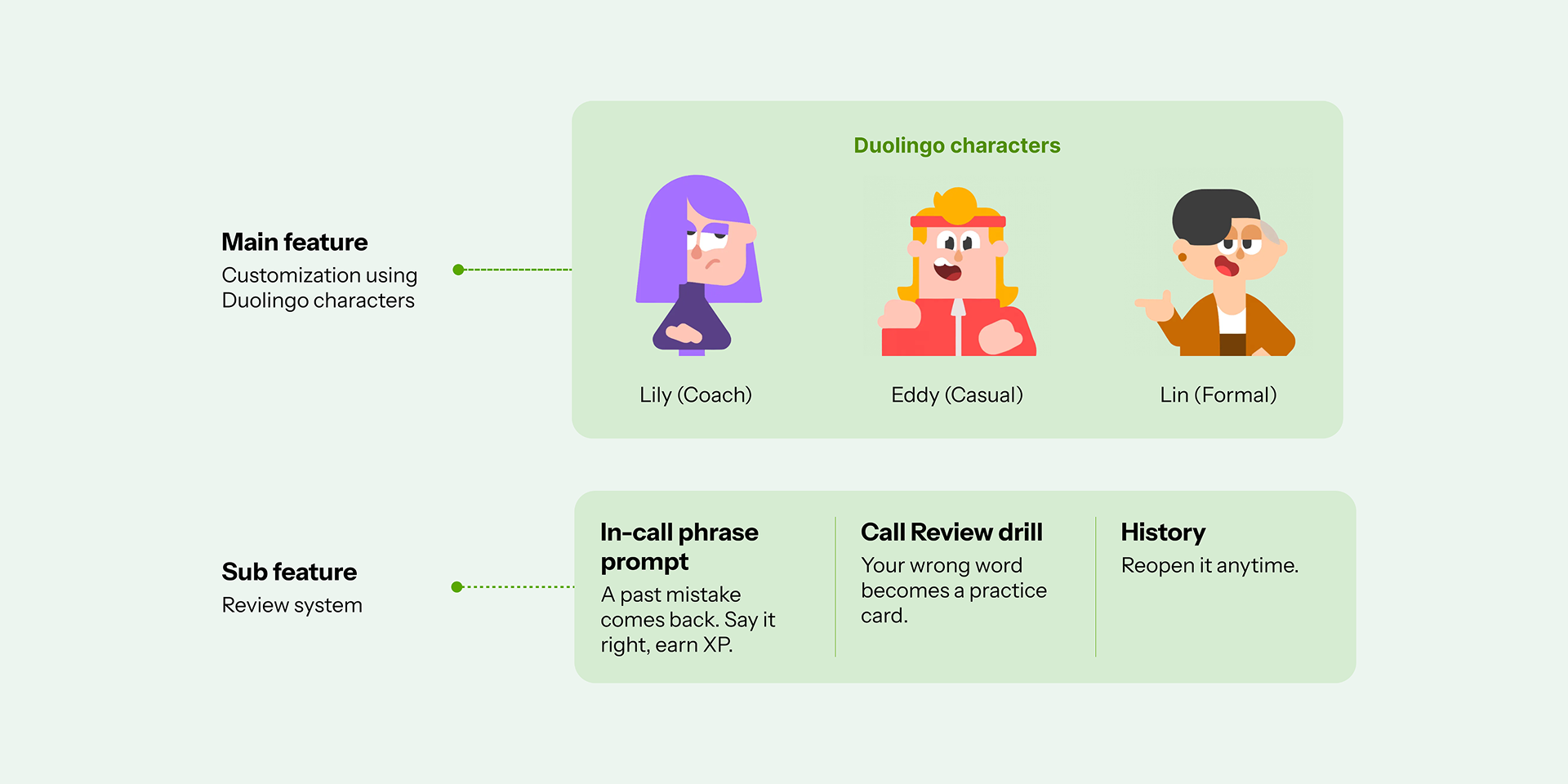
- A voice that matches the moment, coach, casual, or formal
- Topics from her real life, not generic lessons
- Corrections she can actually remember and reuse
What she wants changes with the moment. (Main feature: customization) Everyday chat about her upcoming London trip, with Lily. Cool slang for movie night with friends, with Eddy. Formal English for pitching to a new client, with Lin. One fixed voice can't cover all three.
And she hits the same wall James and Jean did. (Sub-feature: review system)
"Talking with AI is helpful, but I don't feel like I'm actually improving."
She gets corrected sometimes, but forgets by the next session anyway.
Develop
I broke the HMW into three things a real solution needed. Personalization, Upgrade, Memory.

I went through three stages to land on how you'd pick a topic and a character.
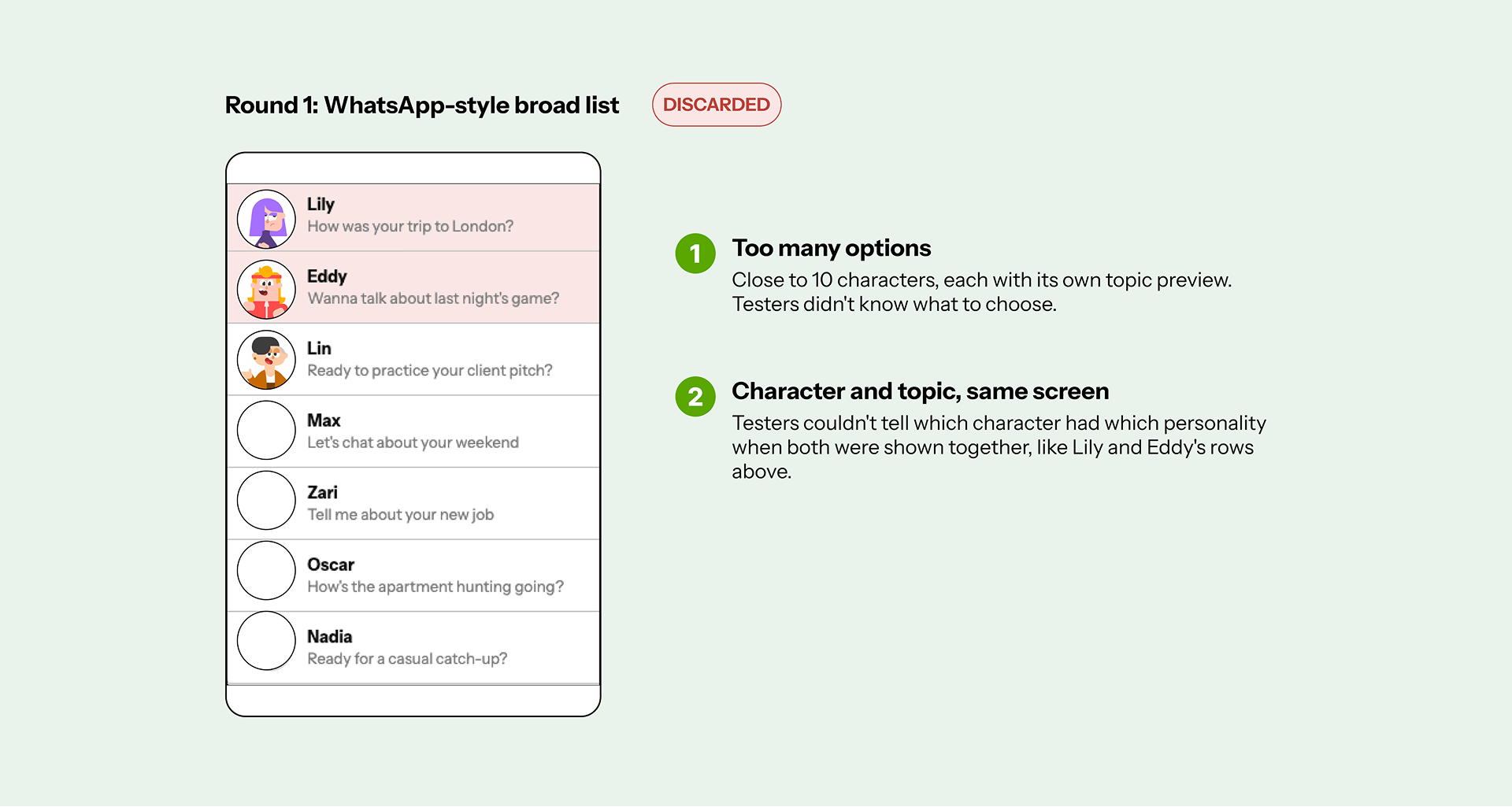
The feature is about talking to AI characters. So I first tried a WhatsApp-style layout, a broad list of topics and characters to pick from. Duolingo has close to 10 characters total. Each character sends a random preview message, like an incoming chat, suggesting a topic based on your past conversations. On paper, it looked like a reasonable idea.
I tested it with two of my interview subjects, Jean and Emre. Two problems came up:
- Too many options. They didn't know what to choose.
- Too confusing. They couldn't tell which character had which personality, especially with character and topic shown on the same screen.
That feedback led to two decisions: narrow the options, and split topic and character into two separate steps, topic first, then character.
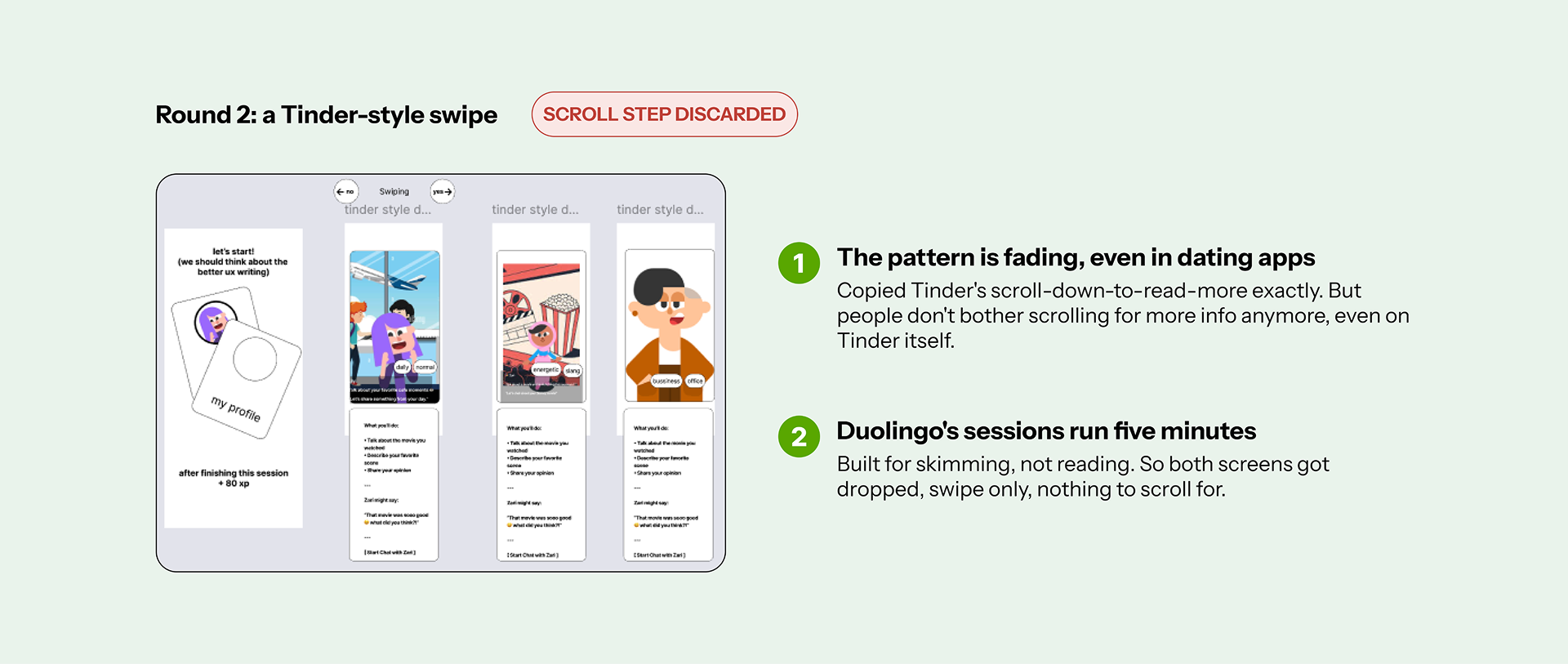
After fixing the first problem, I tried swipeable cards instead of a list. The first version copied Tinder's pattern exactly: swipe down on a card to read more about the character. But that pattern is fading even in dating apps, people don't bother scrolling for more info anymore. Duolingo's users are the same. Their sessions run five minutes, built for skimming, not reading. So I dropped the scroll-to-read-more step.
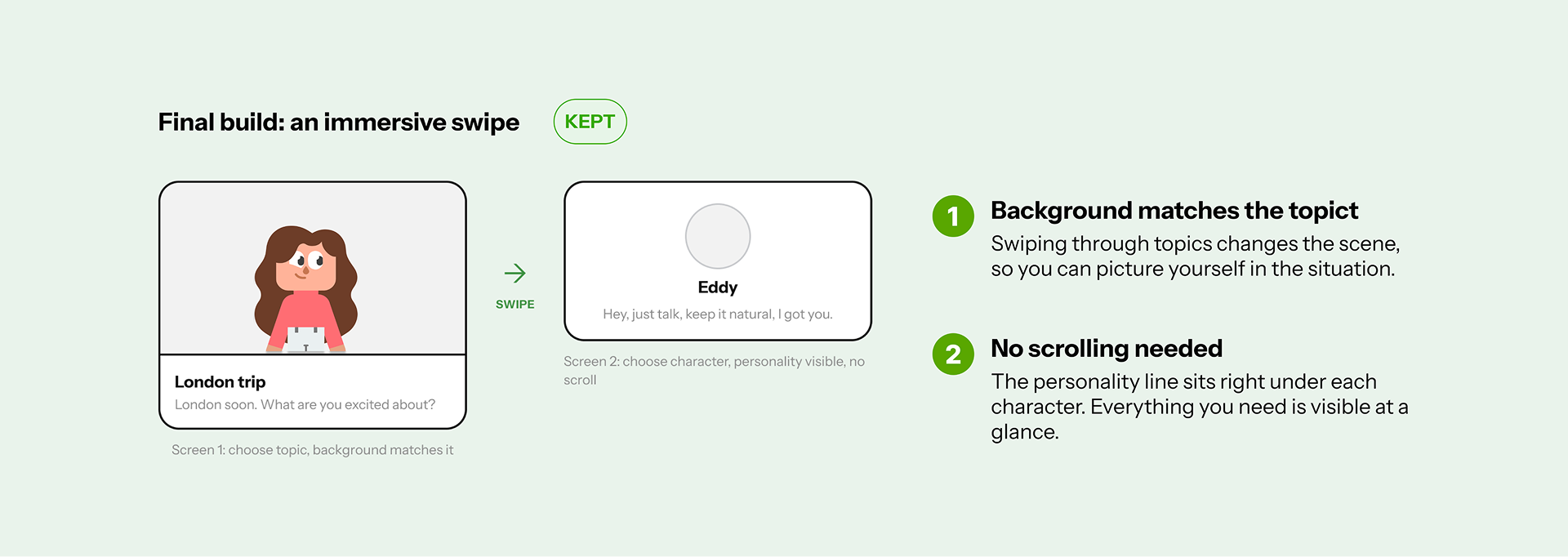
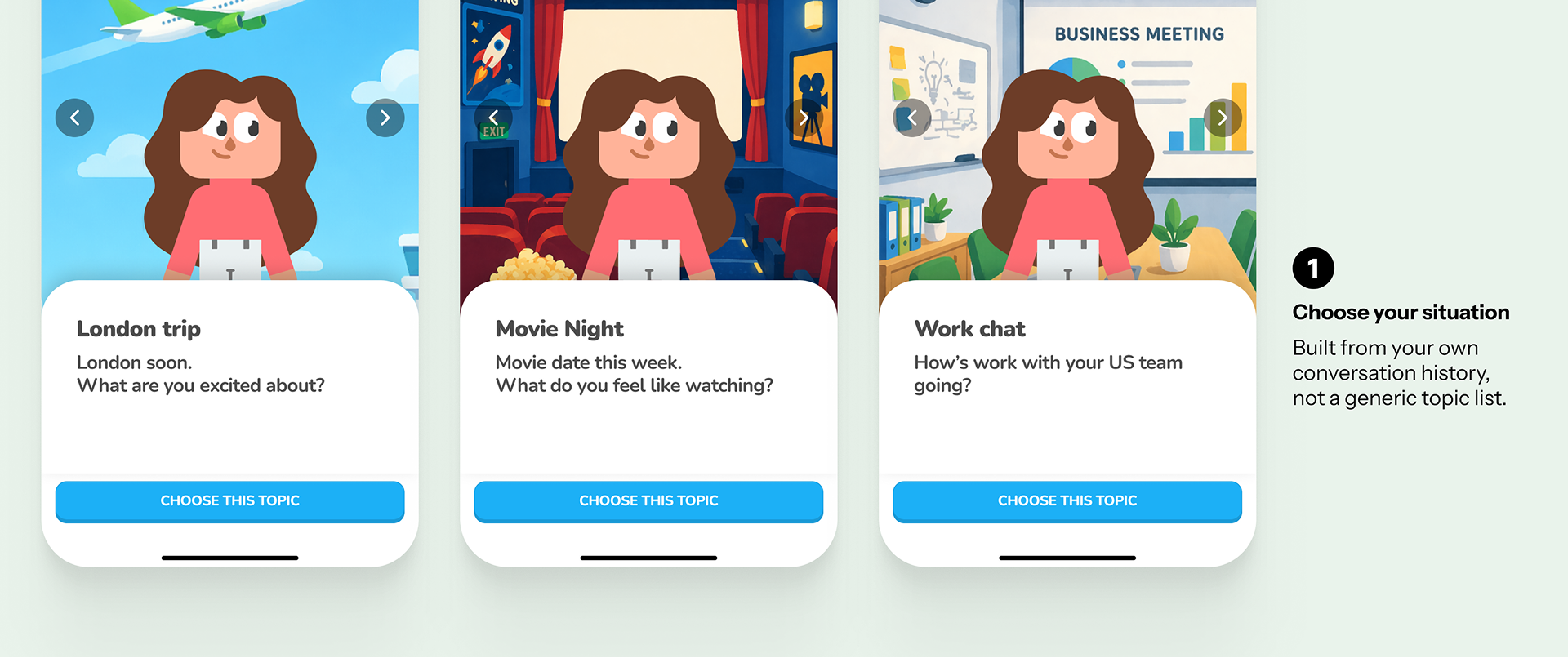
Duolingo already lets users decorate their own profile character, so I leaned into that same instinct. Swiping through topics changes the background scene to match, so you can picture yourself in the situation. Then you pick a character, each with a short personality line right under them, no scrolling needed.
Narrowing down. Two research gaps stood out. James's students wanted instant review. Jean's ChatGPT kept forgetting long conversations. Those map straight onto upgrade and memory. Two ideas survived:
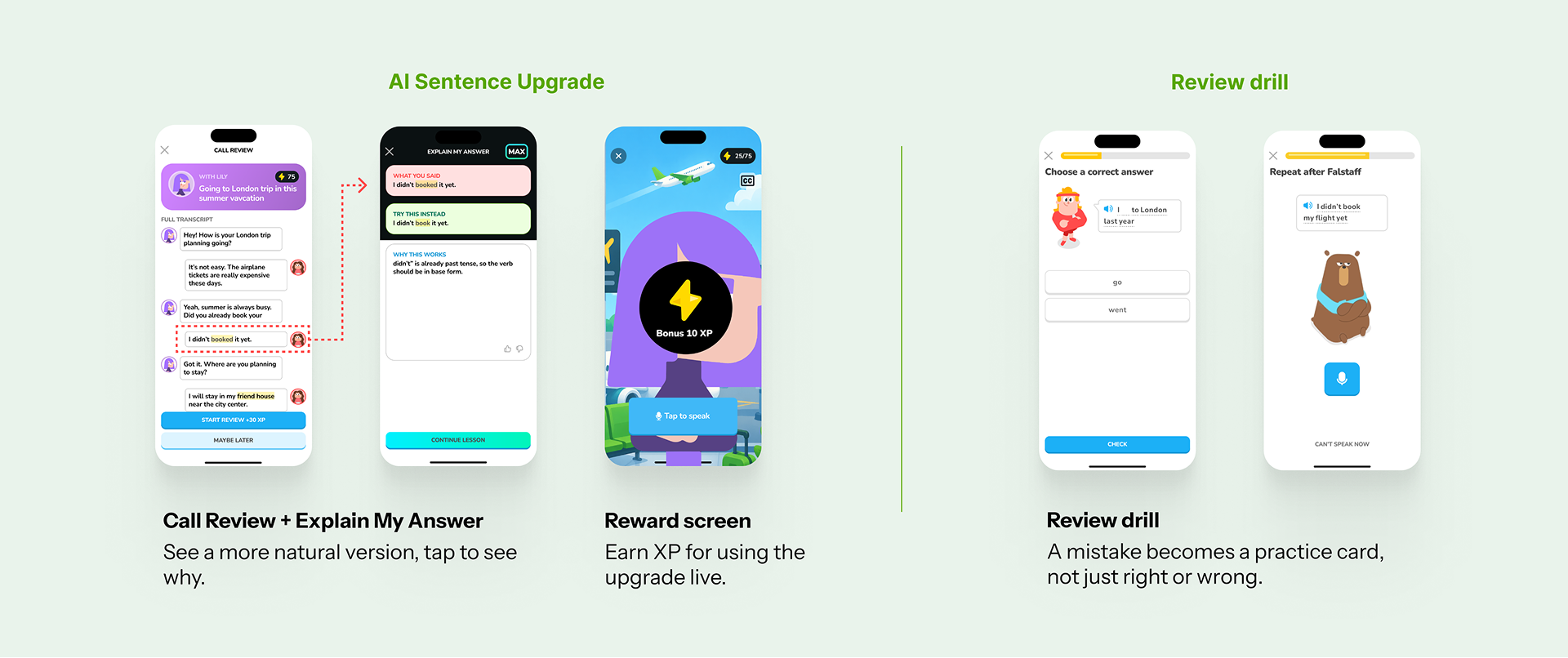
- AI Sentence Upgrade. A phrase you got wrong or said unnaturally in a past call comes back as a live prompt in a later one, so you practice saying it right instead of just reading a correction once. That's the instant part James's students were missing.
- Review drill. Turn the specific mistake into its own practice card, not a plain right-or-wrong flag. That's what gives a correction somewhere to live, past the one conversation, unlike Jean's ChatGPT setup.
Deliver
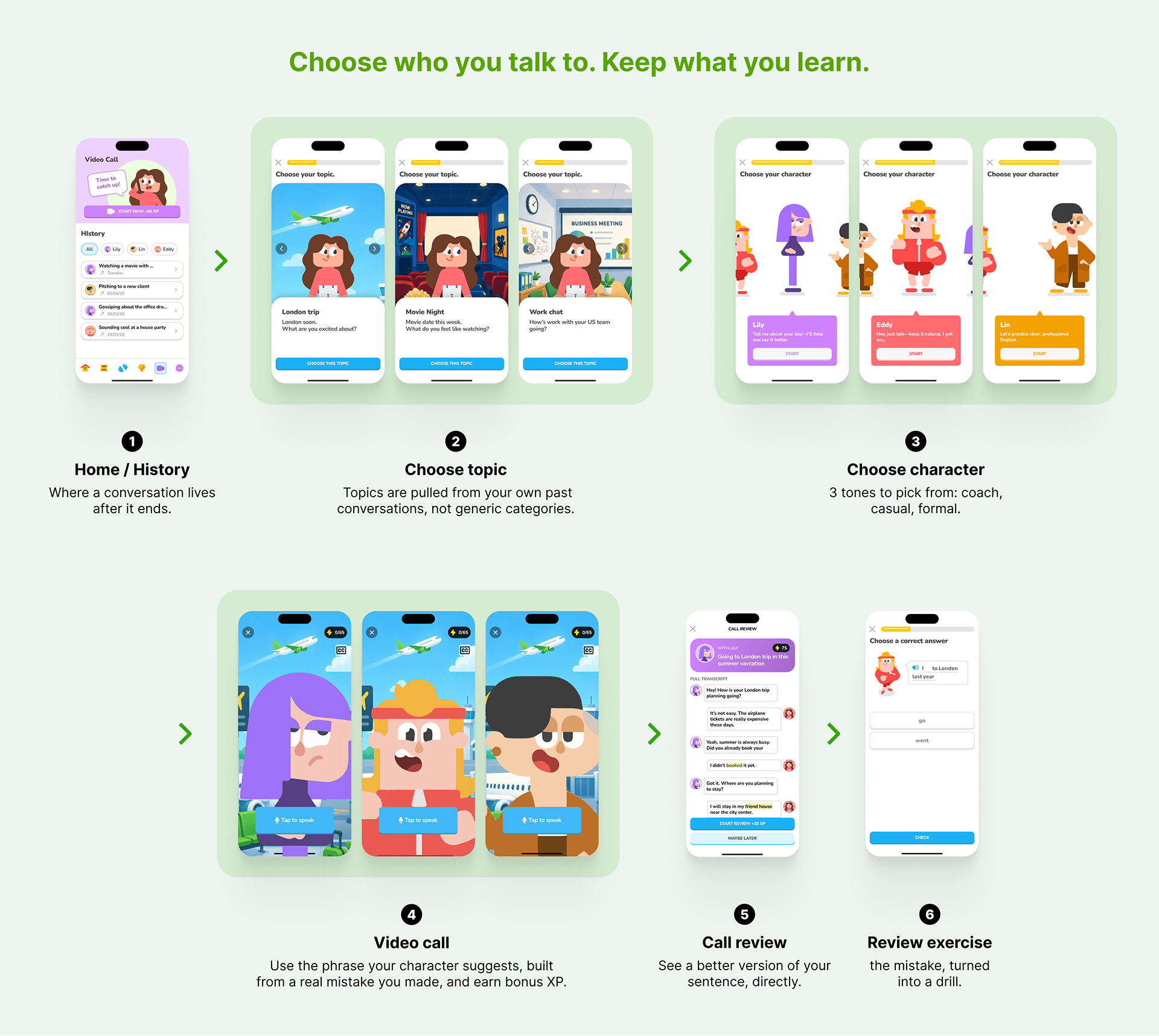
Two screens, both full-width and centered on their own, that's how much this decision matters. The topic is framed as your own life, for example "London soon, what are you excited about?" or "How's work with your US team going?" You're picking what's actually happening to you, not a lesson category.
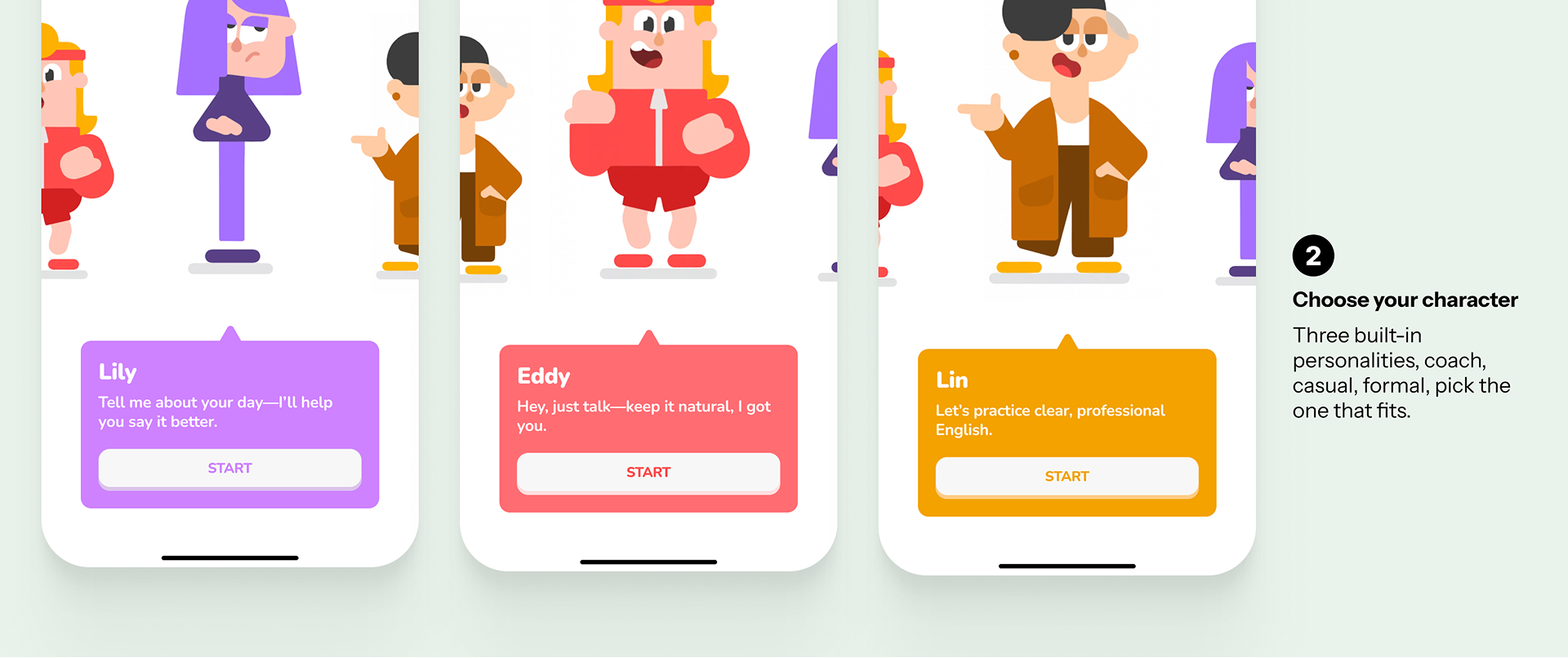
AI persona selection. The character choice uses real personalities Duolingo already built. Lily, Eddy, and Lin are Duolingo's own existing characters, each with their own tone already. I matched the conversation tone to who they already are:
Same AI underneath, three different conversations, built on characters Duolingo already owns.
During a later call, the AI brings back a phrase you got wrong or said unnaturally before, and prompts you to use the corrected version live. Get it right in the moment, and you earn a bonus XP. This solves the "feedback isn't structured" problem directly: instead of a correction you read once and forget, it's something you actually practice.
Call Review then turns the transcript into a real system: the wrong word gets highlighted in context, and a drill gets built from that exact mistake. It's saved in History, so it's easy to find later. This directly answers the missing piece from the problem statement: a system to review, retain, and apply what you learned.
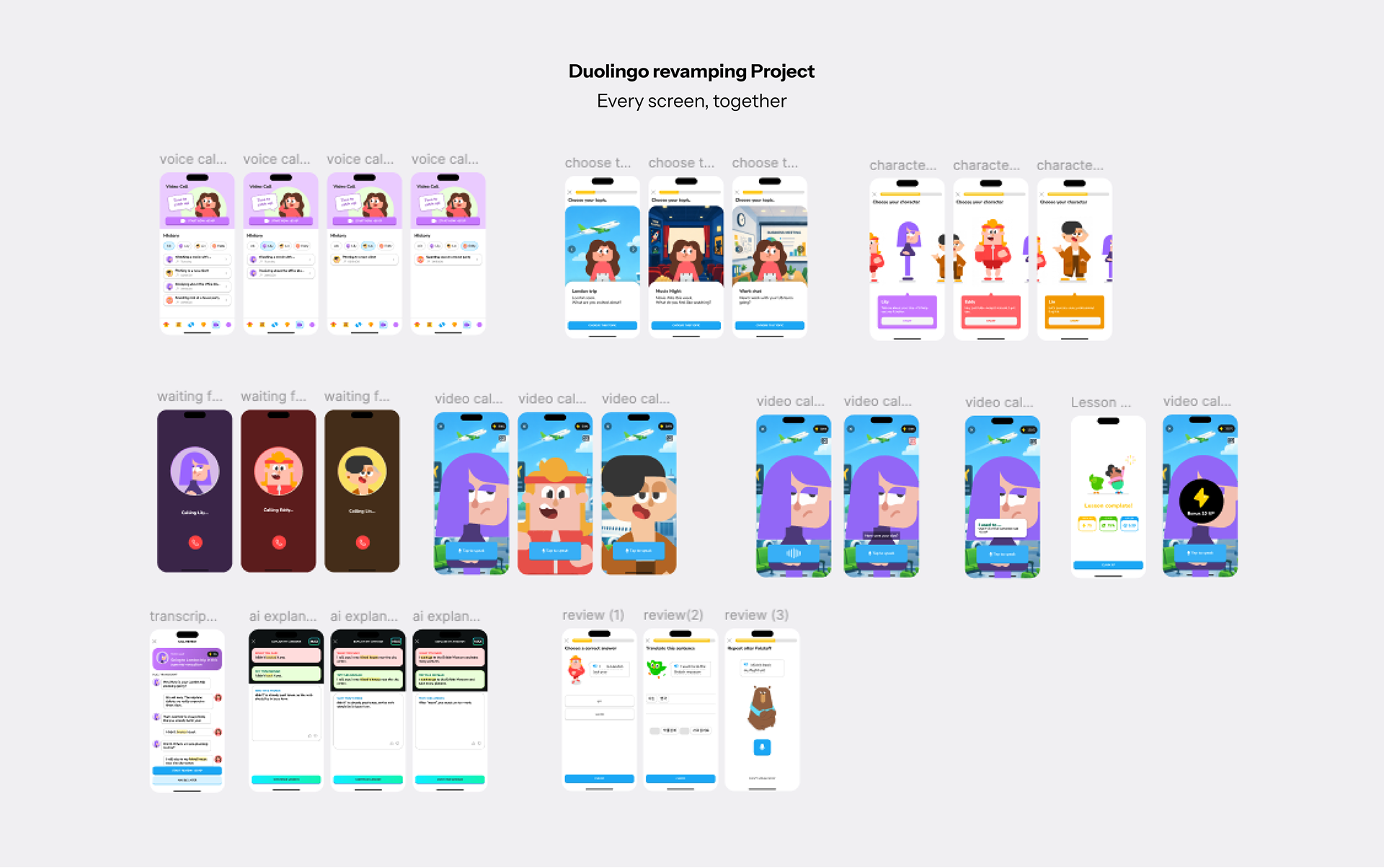
Full prototype. Every screen from topic pick to review drill, laid out end to end.
Reflection
AI speaking practice is becoming standard across language apps now. Everyone has one. Busuu shipped its own AI conversation feature in February 2026, same category as Lily. Shipping an AI feature is one thing. Designing one people actually want to use well is a different problem entirely. Most people talk to an AI, get a reply, and aren't sure if it actually helped. That's exactly where design matters.
That's what this project set out to do. Lily could already talk, but she was the only voice, for every situation. What was missing was a choice: a coach, a casual friend, a formal colleague. Plus a system afterward, so the conversation turns into something you actually keep.
Good AI UX gives people a real choice in the persona behind it, and a reason that choice actually matters, instead of one voice standing in for the whole AI.